
[CS50] 03 Compiler & Array
Published:
In this post, the third lecture of CS50 is summarized.
Compiler
In order to compile ‘hello.c’ file and execute it, we write as follow.
$ make hello
$ ./hello
However, ‘make’ is actually running another command for us. ‘make’ itself is not a compiler but a program that automatically runs a compiler. The compiler we have been using is Clang. By defualt, Clang outputs a file name ‘a.out’ But by using a command-line arguments(additional words or shorthand notation user typed at command prompt that modify the behavior of a program.) you can determine the name of a program.
$ clang -o hello hello.c
$ ./hello
Let’s try to compile the source code below.
#include <cs50.h>
#include <stdio.h>

int main(void){
  string name = get_string("What's your name? ");
  printf("hello, %s\n", name);
}
In this case, since we are using a third-party library that does not necessarily come with C, we have to tell the compiler that we want to use that library. Not just by including the header file, but by an additional command as well.
$ clang -o hello hello.c -lcs50
$ ./hello
‘make’ is a popular tool in the real world that automates these processes. The process of translating source code into machine code consists of four main stages - preprocessing, compiling, assembling, and linking. Let’s explore each stage.
preprocessing
In the code below, there are two lines that starts with #. Any line of C that starts with this hash symbol is called preprocessor directive.
#include <cs50.h>
#include <stdio.h>

int main(void){
  string name = get_string("What's your name? ");
  printf("hello, %s\n", name);
}
‘cs50.h’ is a file tha CS50 staff wrote and installed somewhere in online VS Code, somewhere in the cloud. In ‘cs50.h’, the prototype of ‘get_string’ function is written. When you compile your code, the first step is changing the pre-processing line. Essentially, there is some code inside of the clang compiler that looks for a line that starts with ‘#include’, and finds the corresponding file and copies/pastes the contents of the file right there into your code.
string get_string(string prompt);
int printf(string format, ...);

int main(void){
  string name = get_string("What's your name? ");
  printf("hello, %s\n", name);
}
In short, preprocessing converts all of those ‘#include’ lines to the underlying prototypes.
compiling
In this process, the compiler converts C to assembly language as below. 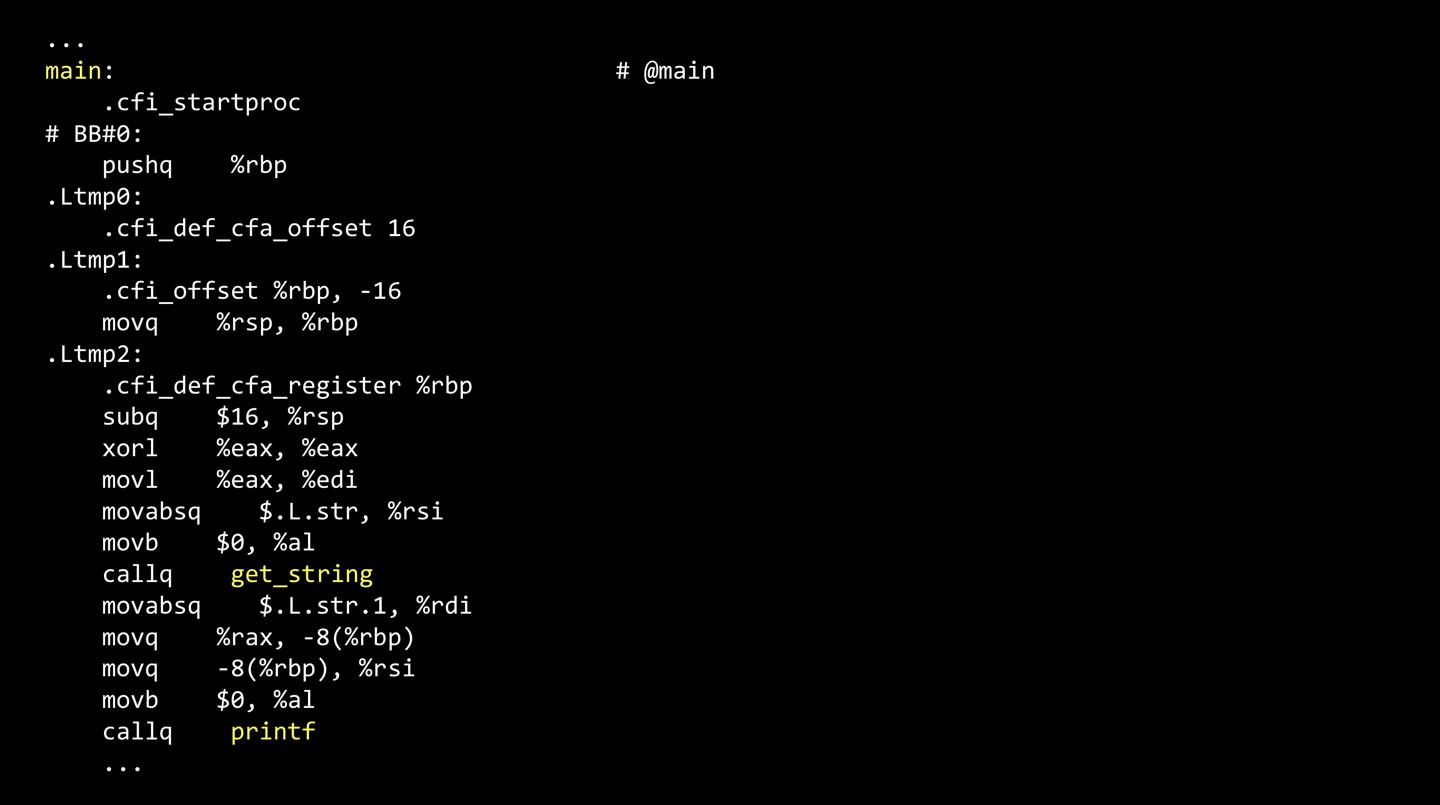 Before there was C, humans wrote assembly language to program. Before there was assembly code, humans directly wrotes the machine code, be it in code or be it in punch cards.
assembling
In assembling, the compiler takes the assembly code and converts it to 0’s and 1’s. The reason that Clang names its files ‘a.out’ is a side effect of that being one of the steps in this process, dealing with assembly language and its subsequent output.
linking
Let’s see the code again.
#include <cs50.h>
#include <stdio.h>

int main(void){
  string name = get_string("What's your name? ");
  printf("hello, %s\n", name);
}
There are 3 different files involved in compiling - hello.c, cs50.h, and stdio.h. Technically somewhere else on the computer’s hard drive is a ‘cs50.c’ file which actually contains the implementation of ‘get_string’. The compiler, needs to compile each file - hello.c, cs50.c, stdio.c - into 0’s and 1’s. In the process of linking, the compiler takes all of 0’s and 1’s from each file and combines them into one final file.
Memory
The picture below is a RAM. These black chips, the circuit board are the bytes. 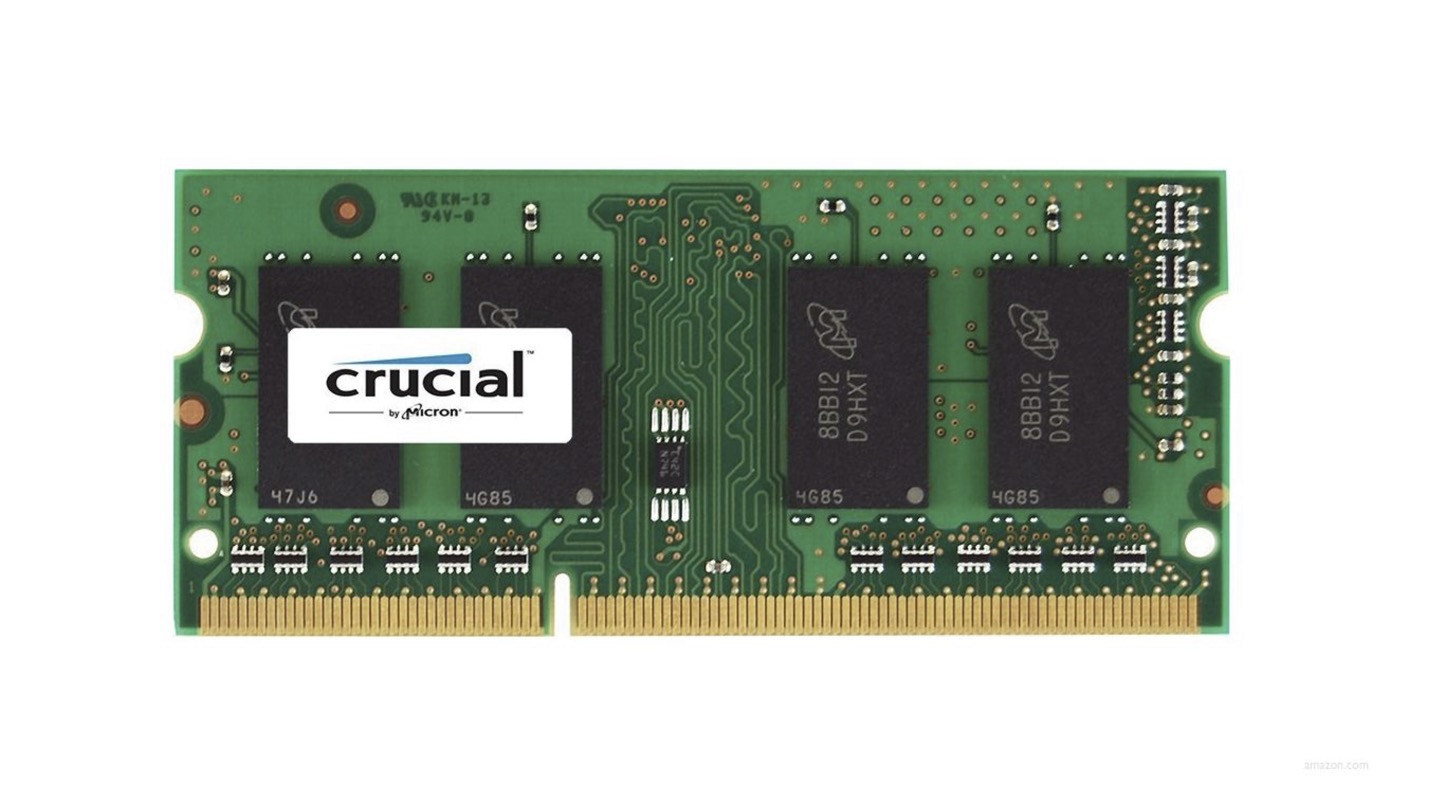 We can number the bytes in memory and think of memory as having addresses, numeric indices that identify each of those bytes individually.
 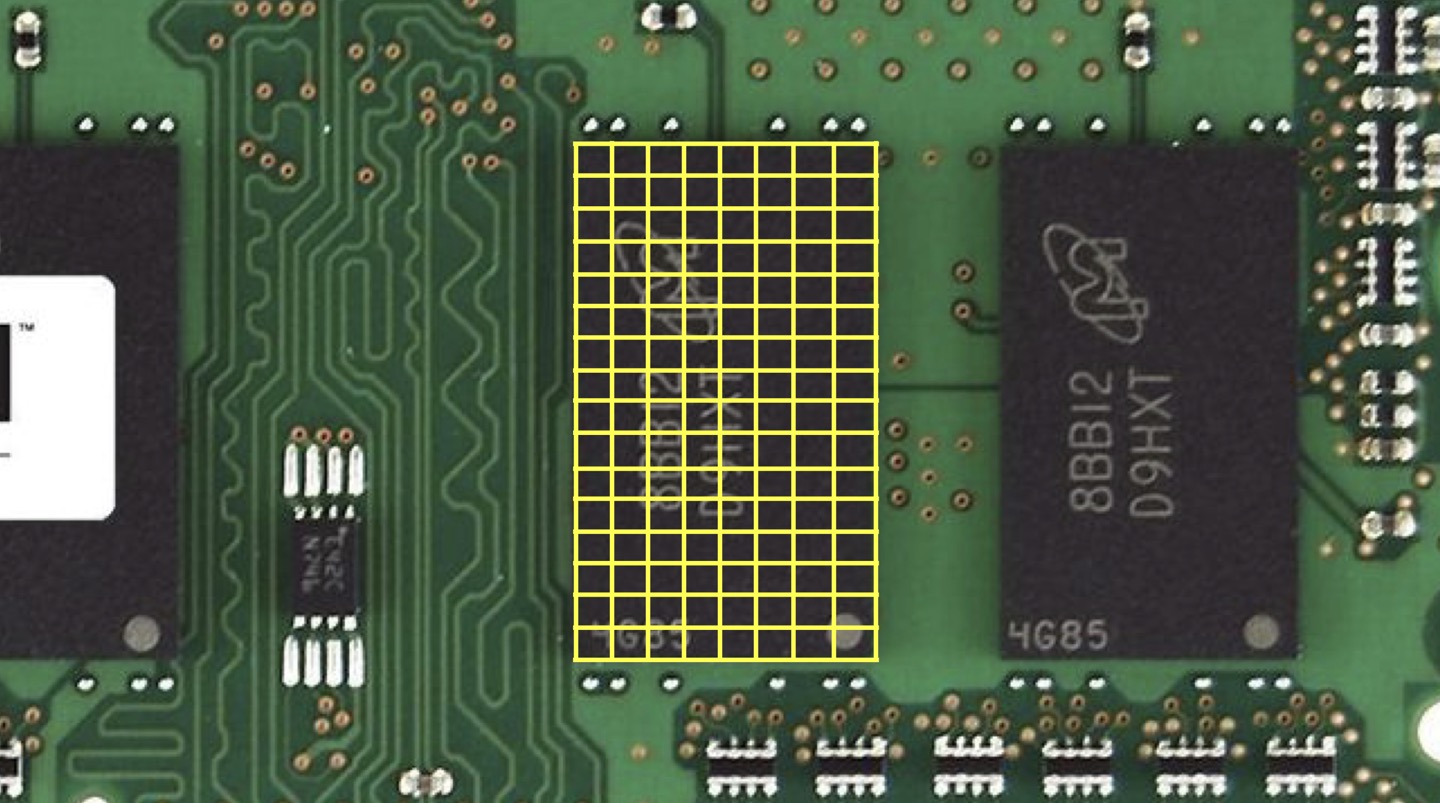 Assume that we define 3 variables.
int score1 = 72;
int score2 = 73;
int score3 = 33;
In the memory, the data will be stored as the picture below. By convention the value 73 will likelly end up next to the first integer in memory because we’ve got only 3 variables going on, though not necessarily so. 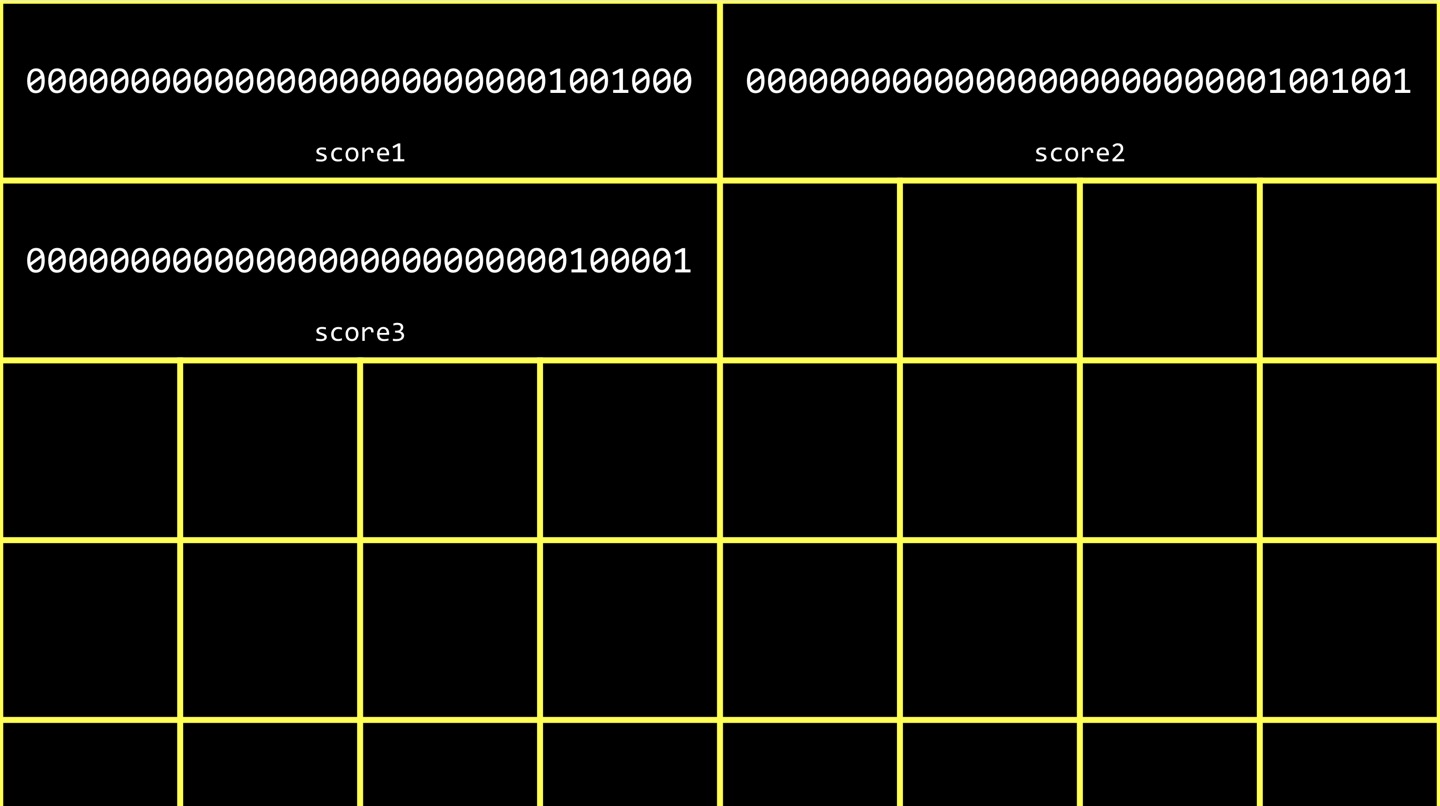 However, it is not wise to define different variables every time when you store data with same category in this case, score. Instead, we can use an array.
Array
An array is a sequence of values back to back to back in memory. In other words, an array is a chunk of memory storing values with no gaps or fregmentation.
int scores[3];
for (int i = 0; i < 3; i++){
  scores[i] = get_int("Score: ");
Above, I defined a variable called ‘scores’, each of whose values is int, and 3 integers tucked away in the variable. 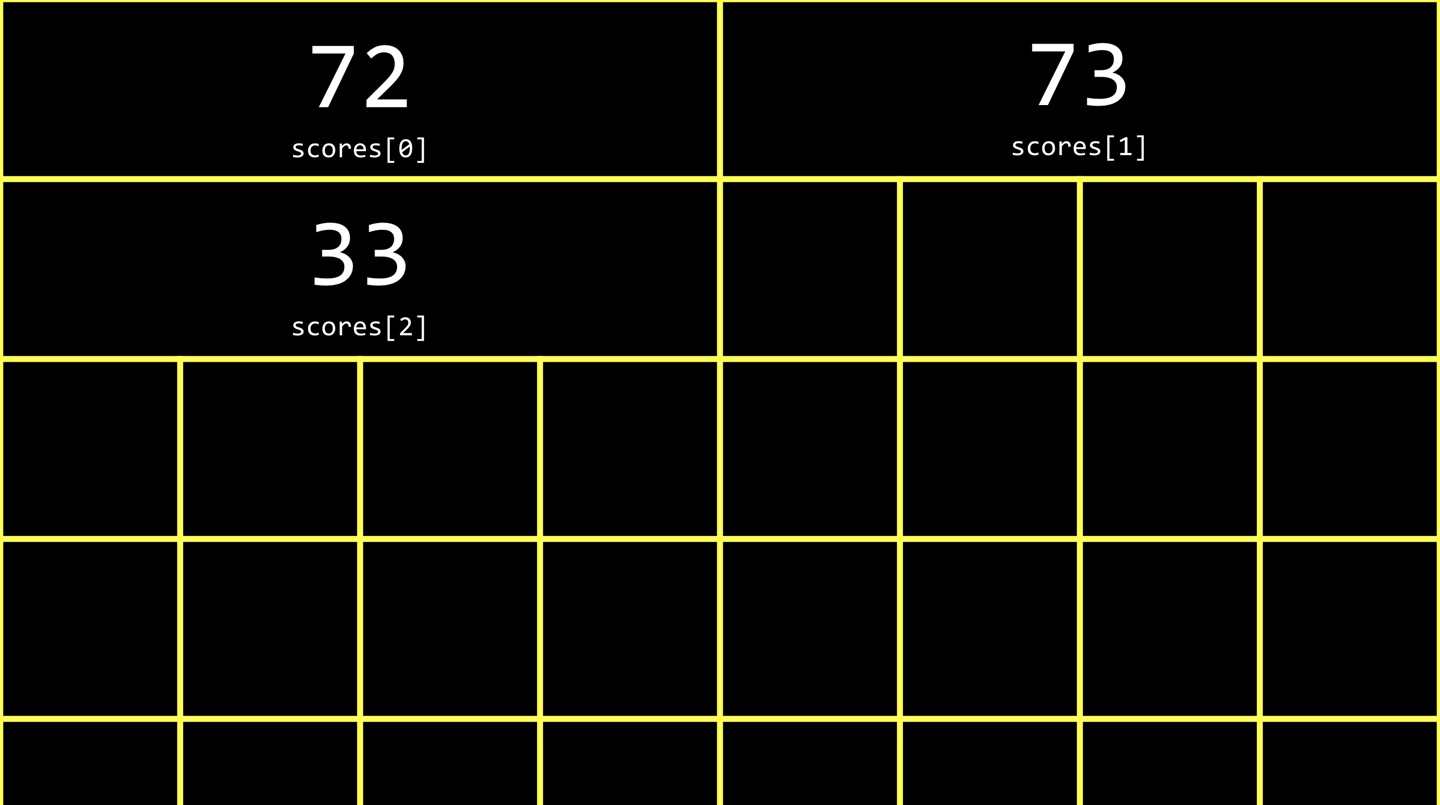 With the array, we have 1 variable instead of 3.
string
char c1 = 'H';
char c2 = 'I';
char c3 = '!';
printf("%c %c %c\n", c1, c2, c3);
printf("%i %i %i\n", c1, c2, c3);
In the code above, the first printf function will print out ‘H I !’. However, in the first lecture, we learned numbers are letters and letters are numbers. They are both stored in sequence of 0’s and 1’s and whether they are numbers or letters depends on the context in which we use them. In this regard, we can draw an analogy that the second printf function will print out ‘72 73 33’. In the case of chars and ints, you can treat one as the other without any casting or other explicit behaviors so long as you have enough bits to fit one in the other. 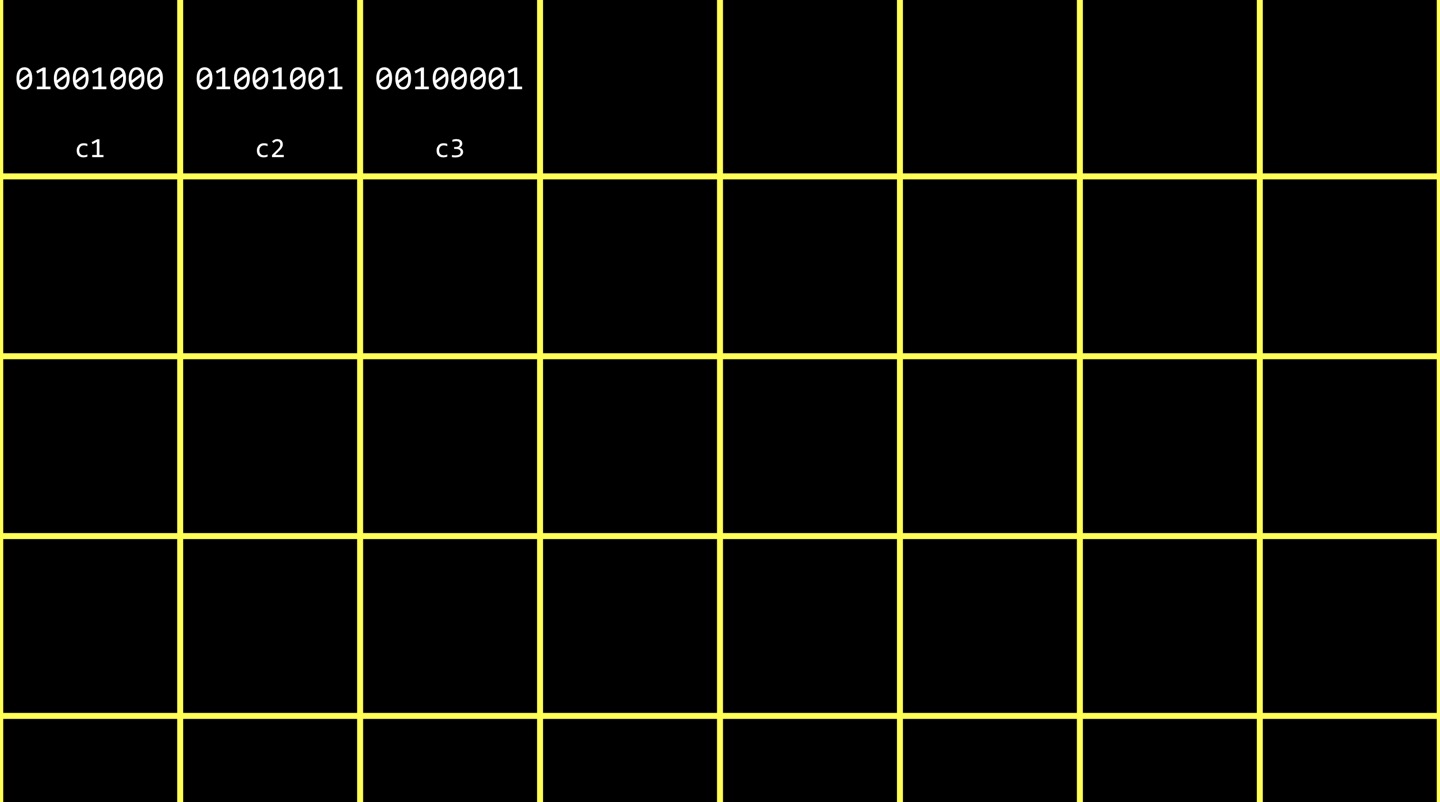 Underneath the hood, it’s these three patterns of 0’s and 1’s. That’s all going on inside of the computer, but it’s our use of int that shows it to us as an integer, use of char that makes it clear it’s a char, or equivalently %i and %i respectively. Now, let’s focus on string. If I compile and run the code below, the memory will store the data as the picture below.
string s = "HI!";
printf("%s\n", s);
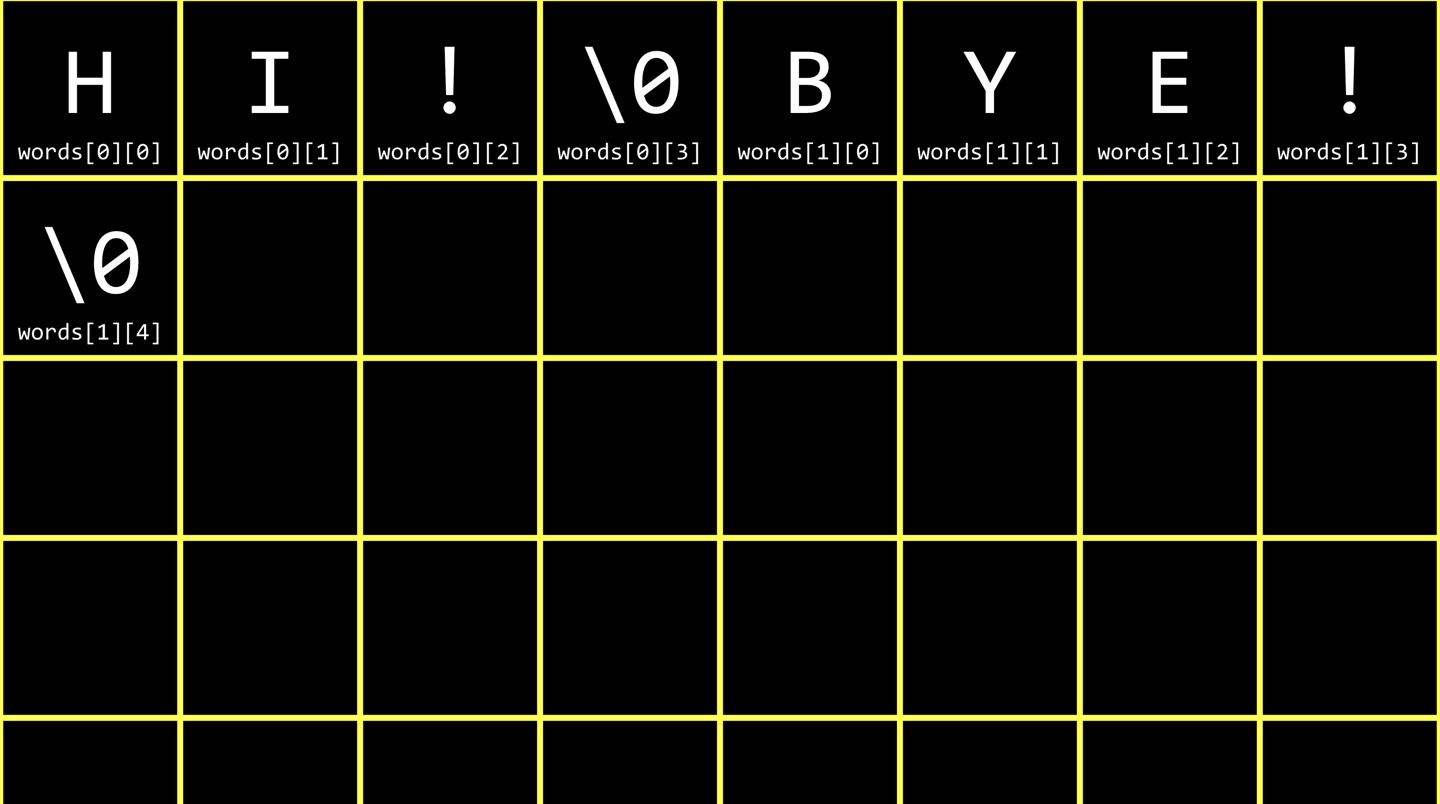
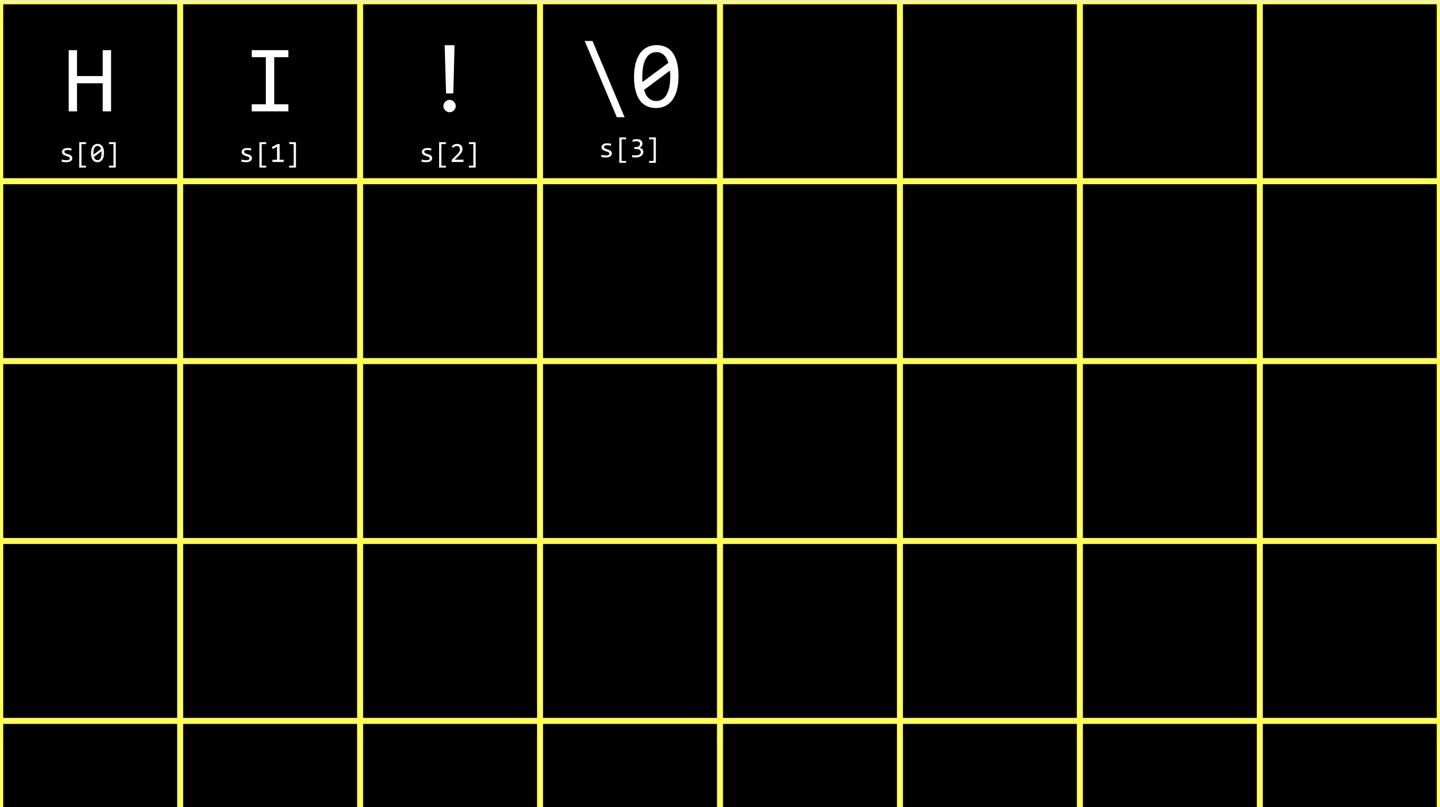 We can notice that string is an array of characters. ‘string’ is an abstraction in the CS50 library and it is an array of chars. But how does the computer know where the string - in this case ‘HI!’ - ends? When we’ve been using quote-unquote string and using get_string from the CS50 library, there’s actually a special sentinel value at the end of every string in a computer’s memory that tells the computer string stops here. The sentinel value is 1 byte of all 0. The implication is taht the computer using a loop and print out chars and whenever it reaches to the sentinel value, it stops. Thus, every string is N+1 bytes where n is the actual human length. We typically write the symbol of sentinel value as ‘\0’ - it is an char-based representation of int 0 - in order to not confuse with ‘0’. The technical term for the all 0 bits is ‘NUL’, which is different from ‘null’. Now what if I make an array of strings?
string words[2];
words[0] = "HI!";
words[1] = "BYE";
Since there are two elements in the array the memory would be like this. 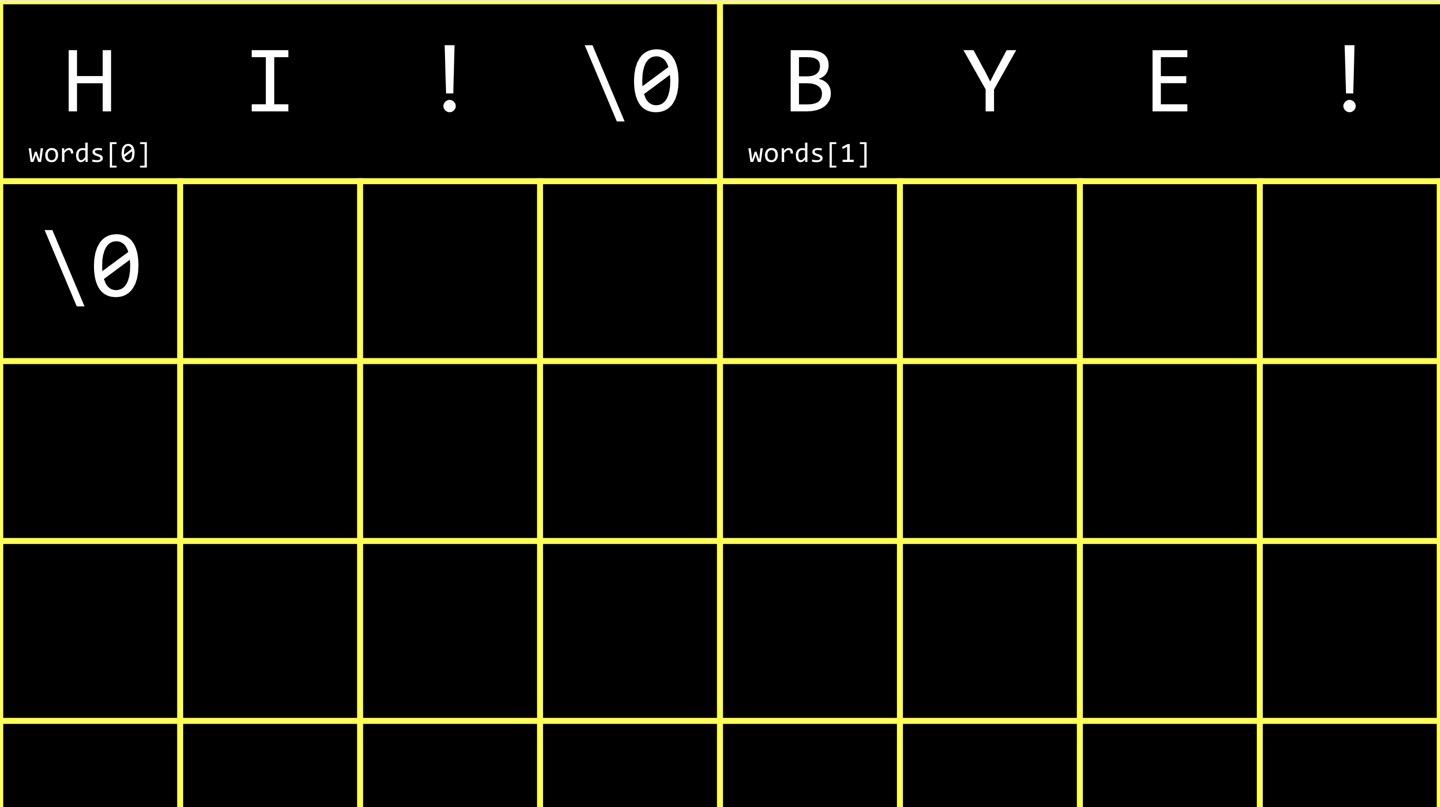 However, each string is an array of characters and so you can also think of it like this. 2-dimensional array.
string length
Below is the code to get the string length.
#include <cs50.h>
#include <stdio.h>

int string_length(string s);

int main(void){
  string name = get_string("Name: ");
  int length = string_length(name);
  printf("%i\n", length);
}

int string_length(string s){
  int n = 0;
  while (s[n] != '\0'){
     n++;
  }
  return n;
}
In C, ‘strlen’ function in ‘string’ library returns the lentgh of string.
More on C
Command-line Arguments
Instead of writing ‘void’ as a parameter in the main function, we can write as follow.
int main(int argc, string argv[]){
  ...
}
If you declare main as not taking void but rather an int and an array of strings, C will figure out whatever human typed at the prompt and hand it to you as an array and the length thereof. The name of your program is accessible in argv[0].
int main(int argc, string argv[]){
  if (argc == 2){
    printf("hello, %s\n", argv[1]);
  }
  else{
    printf("hello, world\n");
  }
}
$ make great
$ ./great Hoseok
hell0, Hoseok
$ ./great
hell0, world
Exit Status
In C, the program has an exit status which is a special return value from the program and by default it is 0. When the exit status is not 0, it means something went wrong. Below is the code that uses an non zero exit status.
int main(int argc, string argv[]){
  if (argc != 2){
    printf("Missing command-line argument\n);
    return 1;
  }
printf("hello, world\n");
return 0;
}
In order to see the exit status you can type as follow.
$ echo $?
This will show you what did the most recently-run program secretly exit with.
Variable Scope
Scope is a characteristic of a variable that defines from which functions that variable can be accessed. There are 2 primary scopes in C, local variables and global variables. Local variables can only be accessed within the functions in which they are created. Global variables can be accessed by any function in the program. It is important to care about the variables’ scope since for the most part, local variables in C are passed by value. When a variable is passed by value, the callee receives a copy of the passed variable, not the variable itself. That means the variable in the caller is unchanged unless overwritten.
int main(void){
  int x = 1;
  int y;
  y = increment(x);
  printf("%i, %i", x, y);
}
int increment(int x){
  x++;
  return x;
}
In the code above, 1, 2 would be printed out for x and y respectively.
call by value, reference
While we can treat individual elements of arrays as variables, we cannot treat entire arrays themselves as variables. We cannot, for instance, assign one array to another using the assignment operator. Instead, we must use a loop to copy over the elements one at a time. Recall that most variables in C are passed by value in function calls. Arrays do not follow this rule. Rather, they are passed by reference. The callee receives the actual array, not a copy of it.
void set_array(int array[4]);
void set_int(int x);

int main(void){
  int a = 10;
  int b[4] = {0, 1, 2, 3};
  set_int(a);
  set_array(b);
  printf("%d %d\n", a, b[0]);
}

void set_array(int array[4]){
  array[0] = 22;
}

void set_int(int x){
  x = 22;
}
In this case, 10 and 22 would be printed out.
Cryptography
In cryptography encryption means scrambling the information so that only you and the recipient can receive it. In order to encrypt plaintex to ciphertext, you need a algorithm called cipher. Cipher is an algorithm for encrypting or scrambling information in a reversible way. Most ciphers take as input not only the plaintext message but also a key. 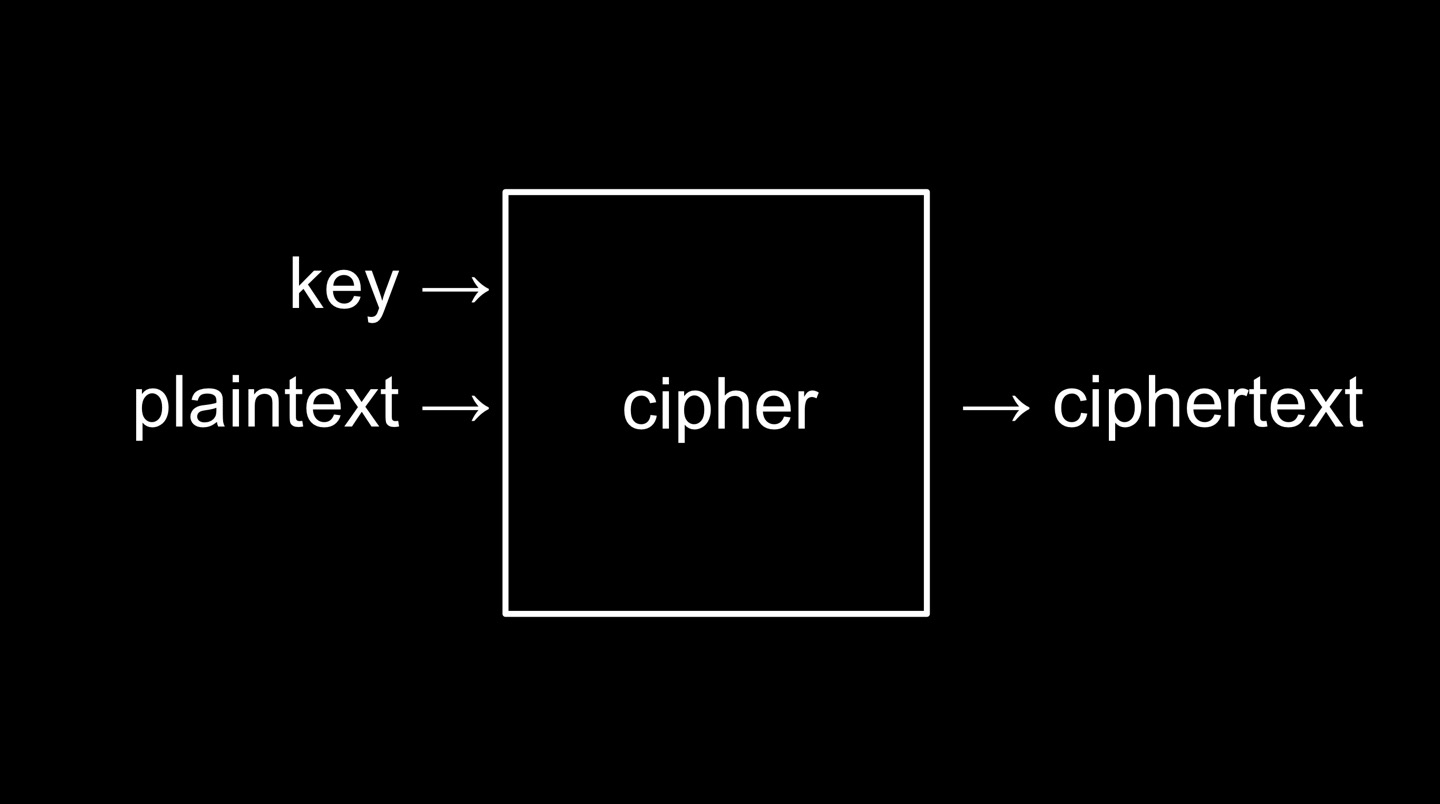 Suppose the secret message was “HI!” and the key value is 1. If I use the Caesar cypher, the ciphertext would be ‘IJ!’ - simply incrementing each alphabet by 1. As for decryption, I reverse the process and get the plaintext. The point is the plaintext can be open to anyone, but the key should be only shared by the transmitter and the receiver.
Leave a Comment